Example: a transparent PNG at default settings
Squoosh saves every image as a JPEG at quality 75 unless you change it, and JPEG has no transparency. From our benchmark of 13 images.
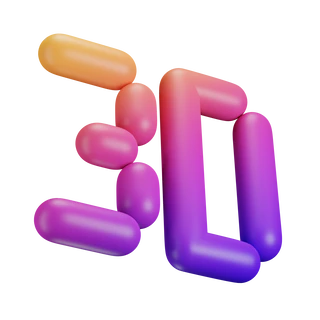 Original
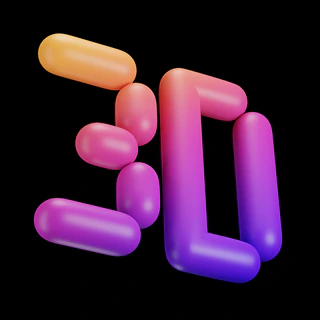 ✗ Squoosh
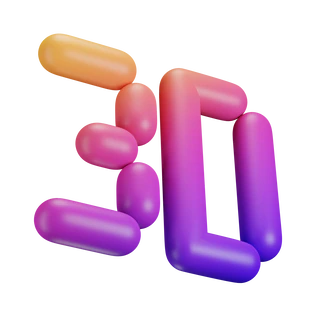 ✓ PicoDiet
PicoDiet and Squoosh side by side
| Squoosh | PicoDiet | |
|---|---|---|
| Images at once | one | ✓ up to 30 |
| Settings | you choose; JPEG 75 by default | ✓ picked per image by measuring |
| Transparency | ✗ turns black | ✓ kept |
| Animated GIF | ✗ becomes a still | ✓ stays animated |
| HEIC | ✗ didn't open in Chrome | ✓ becomes a JPEG |
| Quality score | ✗ compare by eye | ✓ shown, with a change map |
| Fit a file size | trial and error | ✓ e.g. 200 KB |
| Photos, same quality | bigger | 7% smaller |
| Uploads your image | ✓ no, runs in your browser | yes, deleted within 3 minutes |
Where PicoDiet wins
- Batches: up to 30 images at once, downloaded as a ZIP.
- No guessing: each image gets the smallest setting that still scores 80, or the score you choose.
- Smaller photos at the same quality: 7% smaller than Squoosh's (one of three, a harbour photo, was 6% smaller in Squoosh).
- Nothing silently lost: transparency, animation and iPhone colours are kept.
How to switch from Squoosh
- Drop your images above, up to 30 at once.
- Leave the quality at 80, or move it: 90 for images you'll edit or zoom into, 70 for the smallest files. Choose File size to fit a limit instead.
- Open an image to compare it with the original, then download it or all of them as a ZIP.
What happens to your images
Uploaded over HTTPS to the nearest of our servers, processed automatically, and deleted within 3 minutes after you finish. Never shared, sold or used for training. No account needed. Privacy policy
Questions
Is PicoDiet free like Squoosh?
Yes, free with no account, no watermark and no paid plan.
Can I still choose the format?
Yes. Original (the default) keeps each image's format, Auto turns photos into JPEG and scales large ones down, and Options lets you pick JPEG, PNG, WebP or AVIF and a maximum size.
Why does PicoDiet upload my images when Squoosh doesn't?
Trying several settings for each image and measuring every result needs more computing power than most phones have, so PicoDiet does it on its servers. Images are deleted within 3 minutes after you finish and never shared.
Are my images private?
Yes. Images are uploaded over an encrypted connection to the nearest of our servers, optimized, and deleted within 3 minutes after you finish. They are never shared, sold or used for training, and there is no account to sign up for. Details are in the privacy policy.